Assign a ticket to AoTwin
Hand a ticket to AoTwin, see what it needs first, how to stop it, and what it will not do.
Overview
AoTwin is an AI agent you assign tickets to, like a teammate. It reads the ticket and your team’s code, makes the change on its own branch, runs your team’s checks and opens a pull request. An engineer on your team reviews and merges it. AoTwin cannot approve or release anything.
Work starts when a ticket is assigned to AoTwin, and only then. Writing or editing a ticket never starts it. Assigning does, and it uses credits.
What AoTwin needs first
Four things have to be in place before a ticket can start. If one is missing, the ticket waits and tells you why.
| Needs | If it is missing |
|---|---|
| A plan that includes AoTwin | The Free plan and a workspace with no plan cannot assign to AoTwin. The AoTwin option is greyed out, and admins get a link to Settings > Plan. |
| Code AoTwin can change | The ticket is saved and shows Saved · AoTwin starts once GitHub is connected. It starts on its own once an admin connects GitHub and adds a repository for the project. |
| Credits | The ticket shows Waiting for credits, Out of credits until a date, or Monthly limit reached. See Credits. |
| AoTwin switched on | An admin can pause AoTwin under Settings > General. While it is paused, new tickets wait. |
If your project is tied to Linear and Linear is disconnected, tickets wait until an admin reconnects it under Settings > Connections.
Assign a ticket
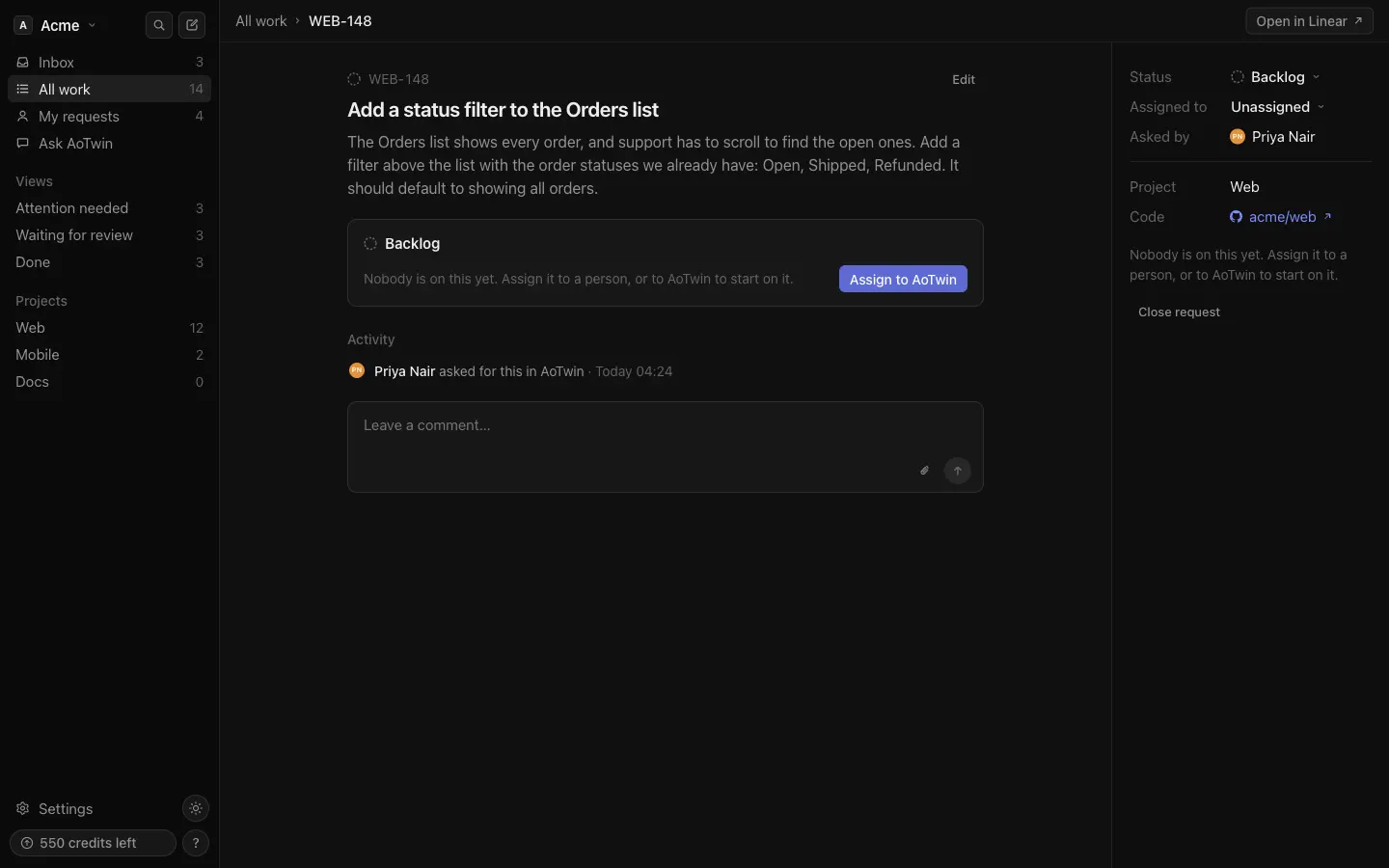
From a ticket
- Open the ticket.
- Next to Assigned to, choose AoTwin.
A ticket that nobody has sent yet shows Not sent and an Assign to AoTwin button. The button does the same thing.
When you create a ticket
In New request, the Assign to menu starts on AoTwin when the project has code connected and your plan includes AoTwin. Choose Nobody or a teammate if you only want to file the ticket.
From Linear
Assign the Linear issue to AoTwin, the way you would to a teammate. AoTwin answers on the issue within seconds. See Linear.
From an AI assistant
The assign tool hands a ticket to AoTwin, but only when you ask for it. See MCP.
What happens next
- The ticket moves to Sent, then Working. Most changes take a few minutes. After about half an hour without news, the ticket says Taking longer than usual. AoTwin keeps going, and hands the ticket back if it gets stuck.
- AoTwin reads the ticket and the code. If it cannot tell what you mean, it asks one short question and waits for your answer.
- It makes the change and runs the checks you set under Settings > Code.
- The ticket moves to Waiting for review with a link to the pull request. Or it moves to Handed back with the reason.
Review the work covers the last step.
Stop AoTwin
You can stop AoTwin at any point.
- Give the ticket to a person. Change Assigned to to a teammate or to nobody. The activity says that you took the ticket over, and AoTwin stops.
- Close the request. Choose Close request on the ticket. Only the person who asked, or an admin, can do this. AoTwin stops, and if it already opened a pull request that has not been merged, the pull request is closed.
- Pause everything. An admin can switch off Working on tickets under Settings > General. New tickets wait until it is switched back on.
- Stop it in Linear. Stopping AoTwin’s session on a Linear issue stops the work and hands the ticket back.
While AoTwin holds a ticket, you cannot set its status by hand. Assign the ticket to a person first.
Work AoTwin has already done counts. A ticket stopped partway is charged like a hand-back. See Credits.
What AoTwin will not do
- Approve, merge or release. Every change waits for an engineer.
- Write to your default branch. It works on a branch named after the ticket.
- Change protected paths. Admins set these under Rules. A ticket that needs a change there comes back to a person.
- Change a repository marked read-only. In Settings > Code, a repository can be set so that AoTwin only reads it.
- Take on infrastructure, database or dependency changes. These come back to a person.
- Guess. A ticket with too little detail comes back with what is missing.
- Follow orders hidden in a ticket. Text in a ticket describes the work. It cannot change these rules.
Changes that touch sign-in, permissions or payments open as a draft with a warning on top. So do changes to iPhone or Android app screens.
FAQ
Does assigning a ticket cost credits?
Yes. Assigning to AoTwin is what uses credits. Filing, editing and commenting do not. Each ticket has a ceiling on what it can use. See Credits.
Can I assign a ticket that already has a pull request?
If AoTwin already opened a pull request for the ticket, it says so and does not push anything new. If someone else has a pull request or branch open for the ticket, AoTwin hands it back instead of building on top of it.
I assigned several tickets and some say Waiting for capacity. Why?
AoTwin works on a limited number of tickets at once, depending on your plan. The rest start as soon as AoTwin is free. Nothing to do on your side.
The ticket came back. How do I try again?
Add what was missing to the ticket. Assigning a ticket to AoTwin when it is already assigned to AoTwin does nothing, so assign it to a person and then to AoTwin again to start a new run.