Ask AoTwin
Ask questions about your team's tickets in plain words, and have AoTwin draft new tickets for you to confirm.
Overview
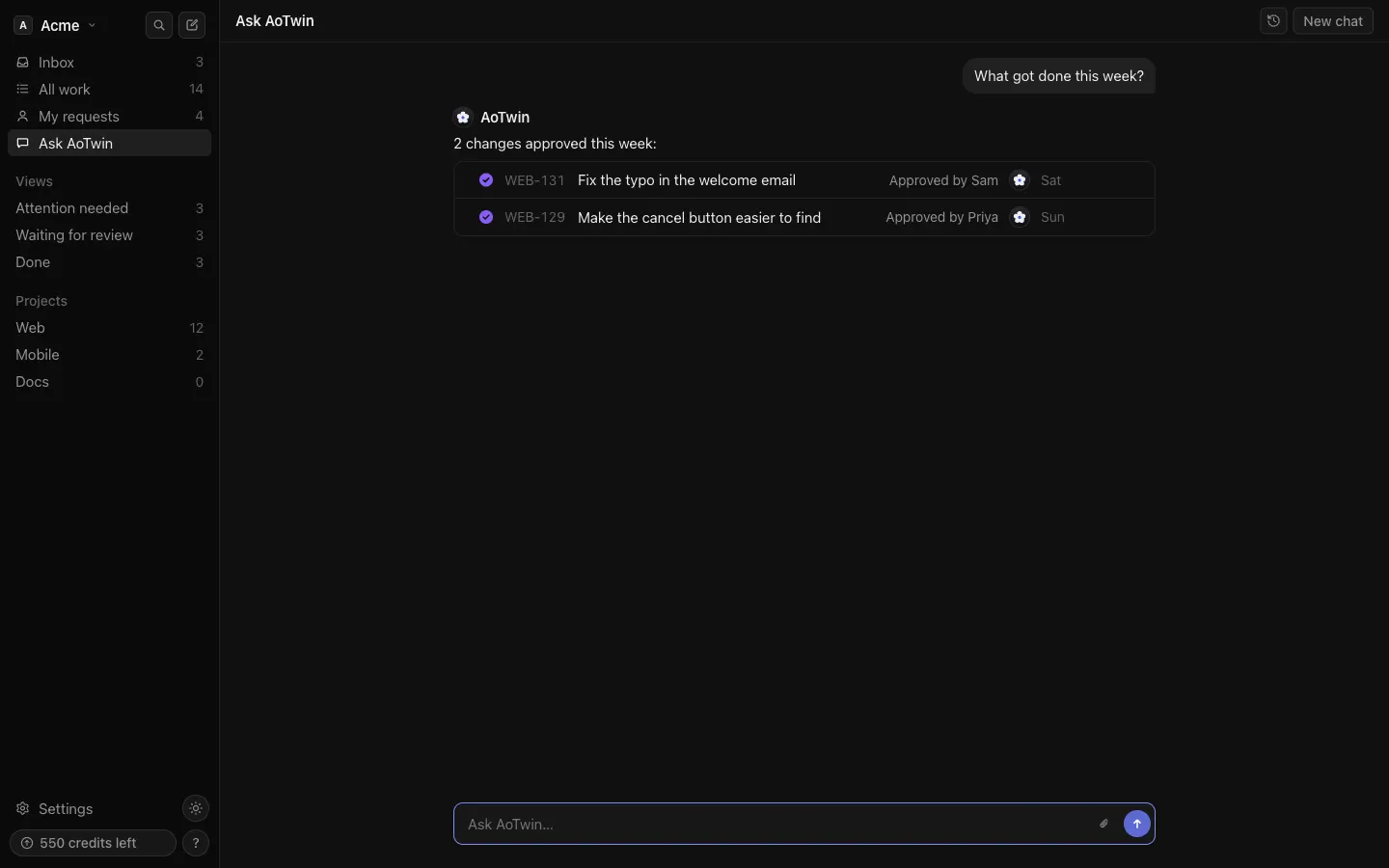
Ask AoTwin is a chat about your workspace’s tickets. Use it when you want an answer without opening five pages: what got done this week, why something is taking long, or what AoTwin is waiting on.
It answers from your tickets only. It can also draft new tickets from an idea. Nothing it drafts is filed until you confirm it.
Ask AoTwin comes with a paid plan. On the Free plan, or with no plan, the chat is visible but locked, and admins see a See plans link. See pricing.
Basics
Ask a question
- Press Ask AoTwin in the sidebar.
- Type your question and press the send button. You can attach a screenshot with the paperclip.
- Read the answer. It streams in, and tickets it mentions appear as cards you can press to open.
On a new chat you see three suggestions under Try asking, such as “What got done this week?” Press one to fill the box. Press Hide these to remove them for good.
What it can answer
Ask about any ticket in the workspace.
- A ticket by its key. “What’s the state of WEB-142?”
- Tickets by status: waiting on a person, ready for review, being worked on, or done.
- Tickets by when they last changed, or by who asked for them.
- What happened on a ticket, from the first request to now.
- What AoTwin is waiting on, and from whom. “What is waiting on Sam?”
“This week” means Monday to today, and “my requests” means the ones you asked for.
Answers use the same words the app shows, like Handed back or Taking longer than usual, so they match the board.
What it won’t do
- It answers only from your workspace’s tickets. It doesn’t know your code, other workspaces or the web.
- It doesn’t include closed tickets.
- It doesn’t guess. If it can’t find something, it says so, for example “I can’t find WEB-999.”
- It can’t change a ticket. Use the ticket page for that. See Tickets.
Draft tickets
Describe a change you want, or paste an idea, and AoTwin proposes tickets. For example, “Turn this idea into requests” followed by your notes.
Each draft appears as a card with its title, the project and who asked. Nothing is filed yet.
- Read the draft.
- Press Send to AoTwin on a card to file it. When AoTwin proposed several, Send all files them all at once.
Sending a draft assigns the ticket to AoTwin, which starts the work and uses credits. A draft goes into the workspace’s main project, and it skips the similar-ticket check. If that project has no code connected, the ticket waits until an admin connects GitHub.
A single answer can include up to ten drafts.
Chats and history
Each conversation is its own chat. Press New chat to start fresh. Press the history button beside it to open earlier chats. Only you can see your chats.
Limits
- Each person can ask 100 questions a day. After that, the chat says to ask again tomorrow.
- A question can be up to 5,000 characters.
- If you close the page while an answer is still arriving, the answer stops. Ask again.
FAQ
Why is the box greyed out?
Your workspace isn’t on a paid plan. The chat shows Ask AoTwin comes with a paid plan. An admin can choose a plan in Settings > Plan.
Does asking a question use credits?
Credits are used when AoTwin works on a ticket. Send to AoTwin on a draft assigns the ticket to AoTwin, so that is where they are spent. See Credits.
The answer was wrong or missing a ticket. What now?
Ask again with the ticket’s key, or open the ticket itself. If a ticket was closed, it isn’t included.