> For agents: connect to the AoTwin MCP server at https://app.aotwin.io/mcp to read and change tickets and projects. Setup guide: https://aotwin.io/docs/mcp.md. Index of all docs: https://aotwin.io/llms.txt.
# Projects
Group tickets by product or repository, add and remove projects, and work before code is connected.
## Overview
A project is a group of tickets, usually one product or one repository. Every ticket belongs to one project, and the project decides which code AoTwin changes when a ticket is assigned to it.
Projects also give tickets their keys. A ticket in a project with the key `WEB` is `WEB-1`, then `WEB-2`, and so on.
## Basics
### Project keys
A project key is a short code of up to ten characters. It uses capital letters, digits and underscores, and it starts with a letter. Examples are `WEB`, `API` and `DOCS_2`.
Every workspace starts with one project, named after the workspace. Its tickets are numbered `AO-1`, `AO-2` and so on. The first repository you connect takes over that starting project and keeps its numbers. Each repository after it gets its own key, made from the repository's name. If your workspace is connected to Linear, a ticket sent to Linear takes Linear's key, and the old key keeps working.
### The sidebar
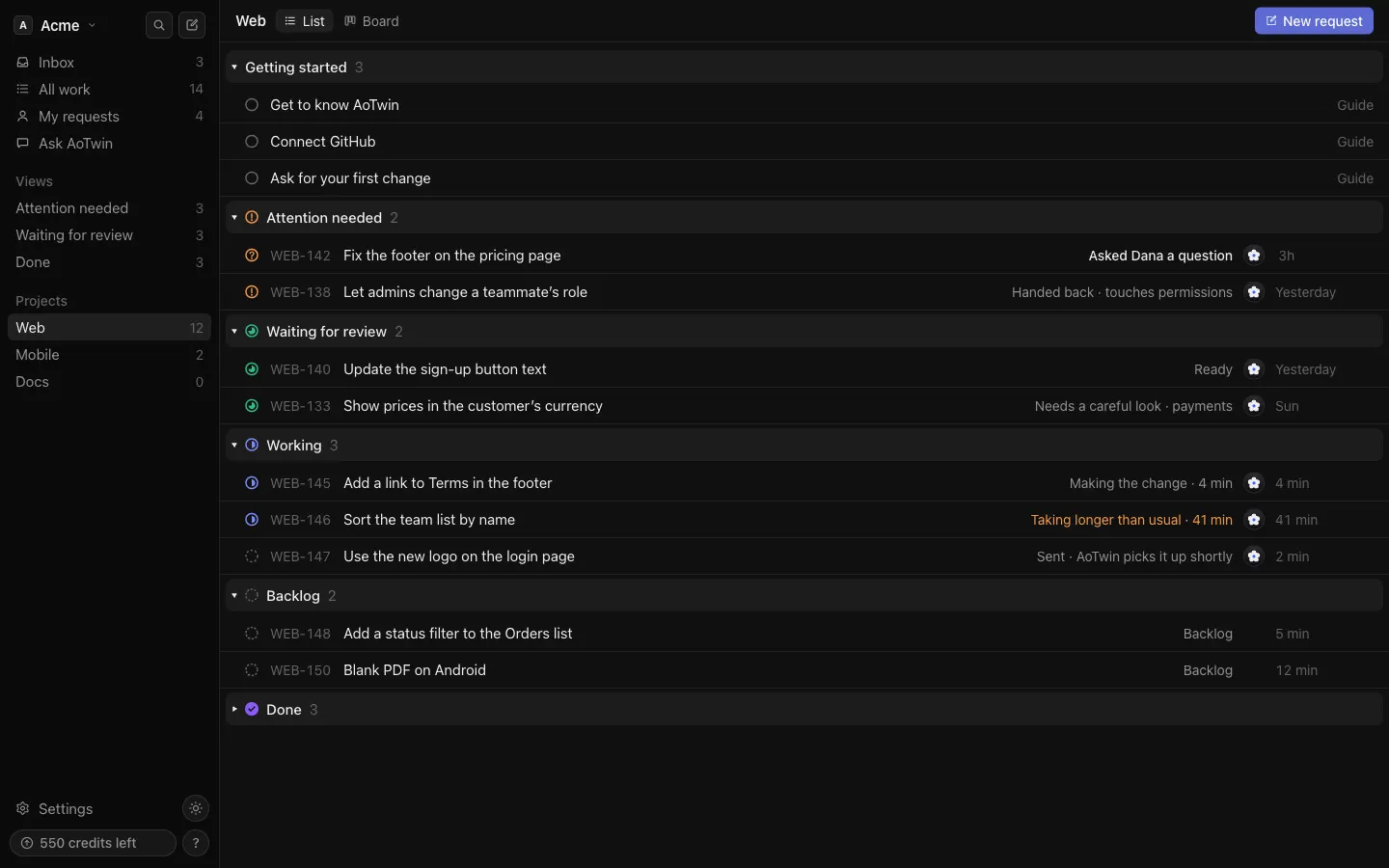
Once the workspace has more than one project, the sidebar lists them under **Projects**, each with the number of open tickets. Press a project to show only its tickets on **All work**, as a list or a board. Press **All work** to see everything again.
### New request in a project
When you press **New request** while a project is selected, the form opens on that project. Otherwise pick it in the **Project** menu at the top of the form. See [Tickets](https://aotwin.io/docs/tickets).
## Add a project
Only admins can add projects. A project with code comes from a GitHub repository.
### From GitHub
When you connect GitHub, each repository you let AoTwin reach becomes a project, named after the repository. AoTwin adds up to ten at a time, within your plan's limit. See [GitHub](https://aotwin.io/docs/github).
### From Settings
1. Go to **Settings > Code**.
2. Under **Repositories**, press **Add** next to **Add a repository**.
3. Type a **Project key**, like `WEB`. Add a **Name** if you like.
4. Choose the **Repository** and check the **Default branch**.
5. Check the **Checks** AoTwin runs before anything comes back for review. Each line reads "name: command".
6. Leave **AoTwin may change this repository** ticked, or untick it to let AoTwin read the code only.
7. Press **Save**.
To put two repositories in one project, give each a different **Name**.
> Your plan sets how many projects you can have. When you reach the limit, adding one shows a message to upgrade. See [pricing](https://aotwin.io/pricing).
## Remove a project
Only admins can remove a project, and only when the workspace has more than one.
1. In the sidebar, press the options button next to the project, then **Remove project...**.
2. If the project has tickets, choose where they go under **Move its tickets to**. They keep their history and gain a note saying they moved.
3. Press **Move and remove**. A project with no tickets shows **Remove**.
Tickets assigned to AoTwin use the code in the project they move to. If that project has no code yet, they wait until it does.
AoTwin stops using the project's repositories. To keep them from coming back if GitHub is reconnected, also remove AoTwin's access to them on GitHub.
A removal can be refused for these reasons.
- The workspace would have no project left. A workspace needs at least one.
- AoTwin is still working on a ticket in the project, or waiting on its review. Try again when it finishes.
- Its tickets are linked to Linear, so they move there and not here.
## Work without connected code
A project does not need code to hold tickets. You can file tickets in it, assign them to teammates, move them across the board and comment, with no repository involved. That is how a new workspace starts.
Only AoTwin needs code. If you assign a ticket to AoTwin in a project with no code, the ticket is saved and says "Saved · AoTwin starts once GitHub is connected". It starts by itself once an admin connects a repository to the project. A non-admin sees the same note, asking an admin to connect GitHub.
## FAQ
Why don't I see a Projects list in the sidebar?
The list shows only when the workspace has more than one project. With one, everything is already in **All work**.
A project I expected is missing.
Once any project has code connected, projects without code stay hidden until they have an open ticket. Connect a repository to the project in **Settings > Code** to show it.
Can members add or remove projects?
No. **Settings > Code**, and removing a project, are for admins. Members can file tickets in any project.